MRI Requirements: ASHS-PMC Atlas
Overview
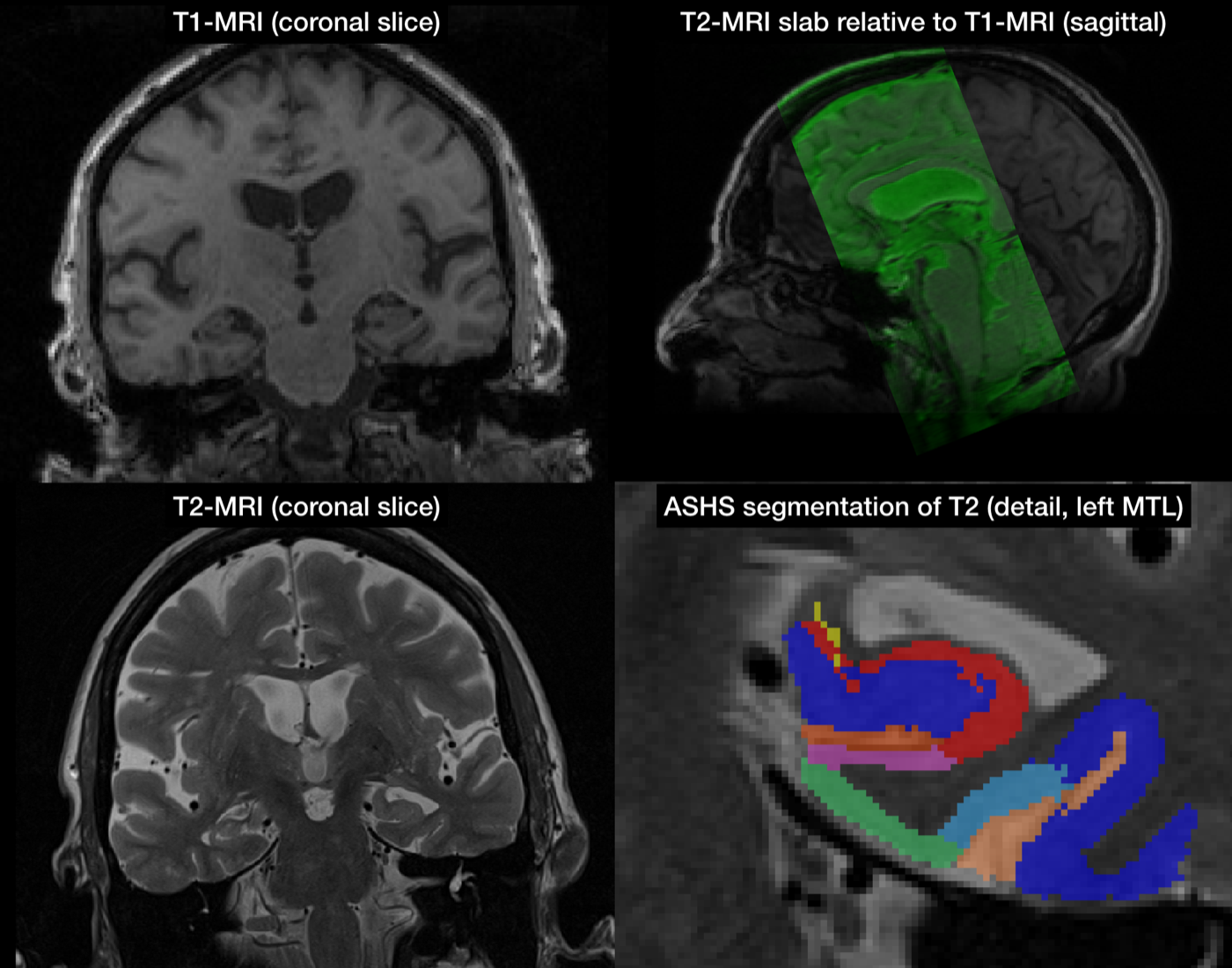
This page describes the MRI data requirements for using ASHS with the ASHS-PMC atlas. This atlas is used to automatically segment hippocampal subfields and extrahippocampal medial temporal lobe subregions ERC, BA35, BA36 and PHC.
This requires high-resolution T2-weighted MRI in which the layers of the hippocampus can be visually separated. A whole-brain T1-weighted MRI scan is also required to run ASHS.
MRI requirements
To use the ASHS-PMC atlas, your data must meet these specifications:
- T2-weighted MRI:
- voxel size 0.4 mm × 0.4 mm × 2.0 mm or similar
- oblique coronal slices perpendicular to the main axis of the hippocampus
- covers the length of the hippocampus
- T1-weighted MRI:
- voxel size 1.0 mm × 1.0 mm × 1.0 mm or similar
- whole brain coverage, not skull stripped
- T1 and T2-weighted MRI are roughly aligned in space
In addition, your subjects should be older adults (55+).
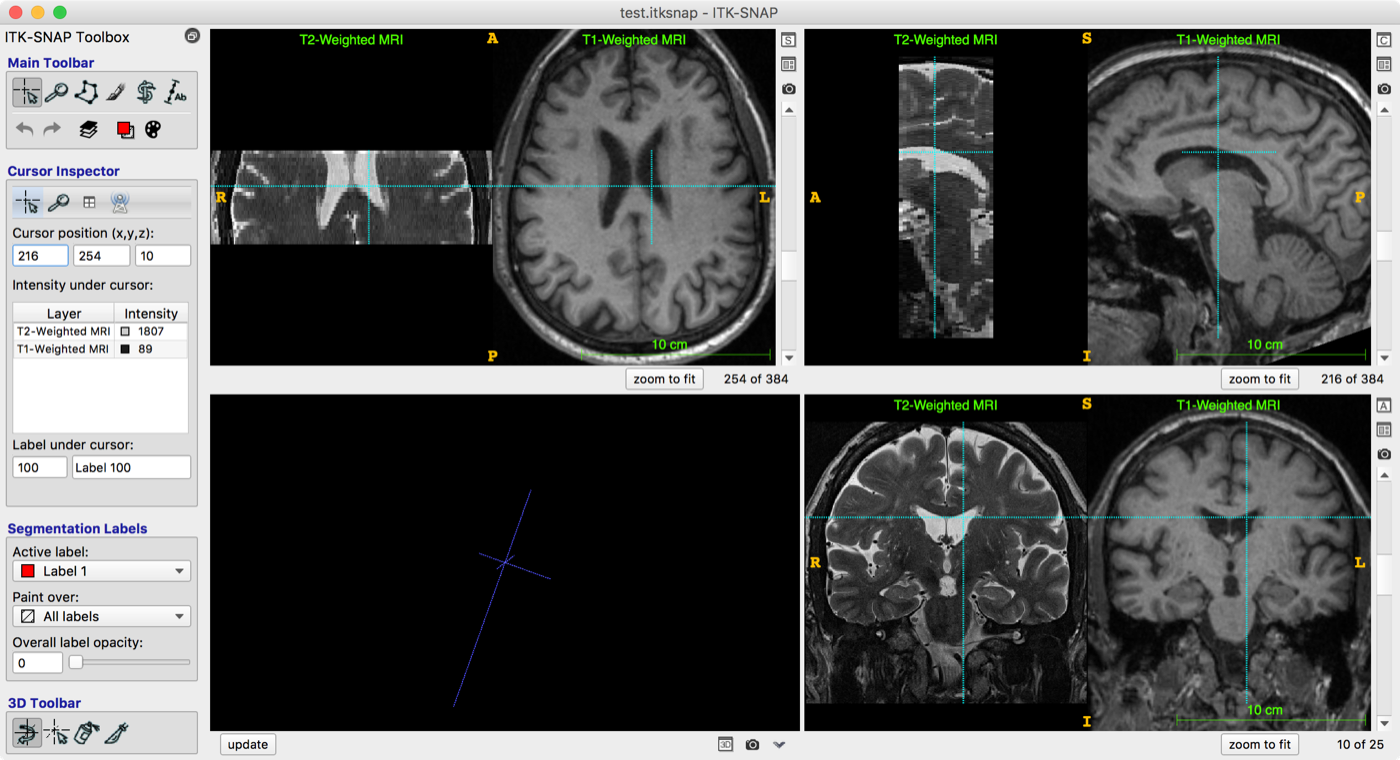
Checking MRI requirements using ITK-SNAP
We recommend using ITK-SNAP 3.6.2 or later to examine the datasets as described below.
- Load the T2-weighted MRI as the "Main Image" in ITK-SNAP
- From the menu select
File->Open Main Image...
- From the menu select
- Load the T1-weighted MRI as the "Additional Image"
File->Add Another Image...
- Make sure that the T1 and T2-weighted images are properly aligned
- The images in the figure below are well aligned
- If the images are not properly aligned, use the registration tool to perform rigid registration (align the T1-weighted MRI to the T2)
- Save the resulting transformation in Convert3D format
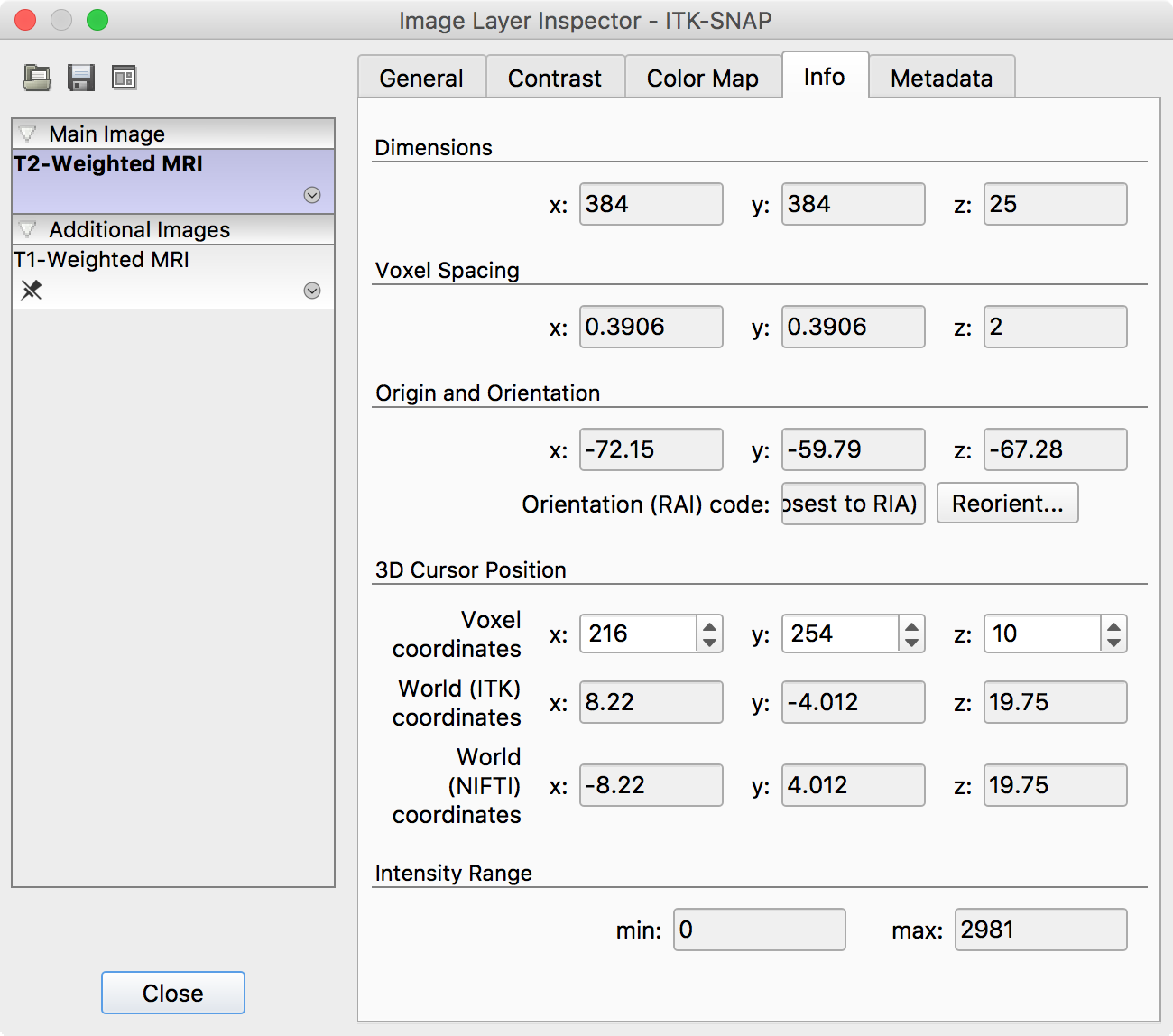
- Make sure that the T2 image is correctly encoded
- Examine image properties using
Tools->Image Information... - Make sure that the x and y dimensions of the T2-weighted image are larger than the z dimension (e.g., 384 × 384 × 25 as in the figure below)
- If this is not the case, use the convert3d -swapdim command to reorient the images
- Examine image properties using
See the equivalent page for HyperASHS.